Tamper-Proof and Anti-Counterfeit Labels: Protecting Your Business Against Retail Fraud The Growing Problem of Label Swapping Is your business losing...
Flexographic vs Digital Label Printing: When Does It Make Sense to Switch?
If you run a business, manufacture products, or manage a busy warehouse, we know that you’ve likely faced the ultimate packaging dilemma: Flexographic printing or Digital printing.
For decades, flexography (or "flexo") has been the unrivalled champion of the label world. But over the last 5 years, digital printing has evolved from somewhat of a high-tech novelty into an industrial powerhouse and norm.
So, how do you know when it’s time to move a job away from traditional flexo and hand it over to a digital press? Let's break down the basics, compare the calculations, and look at the clear benefits for you, of each option.
The Basics: How They Work
To understand when to switch, it’s helpful to know how they work behind the scenes.
- Flexographic Printing (Analog): Think of this method as a high-speed, automated stamp. It uses flexible rubber or polymer plates wrapped around rotating cylinders to stamp ink directly onto a giant, continuous roll of material.
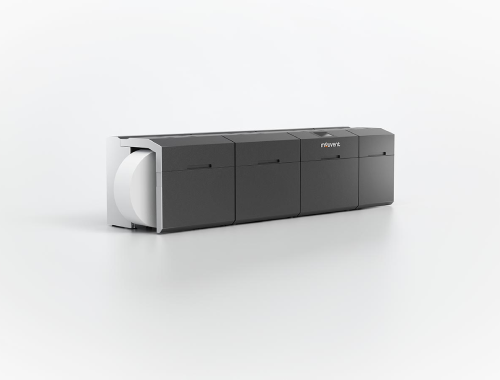
- Digital Printing (Modern): This works much like your office or home printer, but on a massive scale. It fires tiny droplets of ink (inkjet) or uses static electricity and toner particles to build an image straight from a computer file onto the material. No physical stamps or plates are needed.
The Benefits of Flexo: Built for Speed and Volume
Flexo is an absolute beast when it comes to raw, continuous manufacturing. If you are printing the exact same label by the hundreds of thousands or millions, flexo is almost always your best choice.
- Incredible Speed
Once a flexo machine is set up and calibrated, it’s really quick. Modern flexo presses can run at speeds between 150 to 300+ meters per minute. It is designed to run 24/7 without stopping.
- Unbeatable Costs at High Volumes
Because bulk ink and raw paper rolls are incredibly cheap, your cost-per-label drops drastically the longer the machine runs. The upfront cost to build the physical plates gets divided across hundreds of thousands of labels, reducing the cost of each individual label to much less than a pence.
- All-in-One Finishing
Flexo presses are massive, long machines. In a single pass, they can print the ink, stamp any fancy metallic foil that’s on your label, add a protective glossy varnish, and cleanly die-cut the labels into their final shapes. The roll comes off the machine completely finished and retail-ready.
The Benefits of Digital: Built for Agility and Detail
Digital printing completely flips the script. By eliminating the mechanical steps, it focuses on flexibility, customisation, and saving time.
- Zero Setup Costs and Fast Turnarounds
With flexo, if you want to print a 4-colour label, someone needs to physically manufacture four plates, mount them, and spend an hour aligning them. With digital, there are no plates. You just click "Print" on a computer. This means you can print 50 labels or 5,000 labels instantly, without paying a hefty setup fee.
- Variable Data Printing (VDP)
Because a computer controls every single drop of ink, every label on the roll can be unique. This is called Variable Data Printing. Digital presses can seamlessly print a different QR code, a unique serial tracking number, a specific batch code, or even different customer names on every single consecutive label without slowing down for a second.
- No Wasted Material
To get a flexo press properly aligned, operators usually have to run hundreds of meters of "test paper" through the machine, which gets thrown directly into the trash. Digital presses self-align instantly, meaning material waste drops to almost zero.
Finding the "Tipping Point"
How do you decide which machine gets the job? It all comes down to finding the Break-Even Point. Because flexo has high upfront costs but cheap running costs, and digital has zero upfront costs but slightly higher ink costs, their total expense lines cross at a certain volume. In the modern label industry, that tipping point usually sits somewhere between 20,000 and 35,000 linear meters of labels. • If your total label order length is below this line: Digital is cheaper and faster. • If your total label order length is above this line: Flexo will save you money.
3 Signs You Should Switch to Digital
Even if you have a decent volume, here are three operational signs that it's time to pivot to digital: 1. Too Many SKUs: If you sell a cosmetic product that has 20 different types or regional language variations, setting up 20 different sets of flexo plates will bankrupt you. Digital lets you print all 20 variations on one continuous roll in minutes. 2. Strict Serial Numbers or QR Regulations: If your industry (like pharmaceuticals, electronics, or food tracking) requires unique serialisation codes, anti-counterfeiting marks, or Digital Product Passports, digital is mandatory. 3. Just-In-Time Ordering: If your clients demand labels printed and delivered in 48 hours to avoid holding warehouse inventory, you cannot afford to wait days for physical plates to be fabricated. Digital is built for this on-demand speed.
The Verdict: A Hybrid Approach
Choosing a printing method doesn't mean you have to pick a single favourite. The smartest print shops and manufacturers use a hybrid strategy.
By moving your short run, complex multi-type product labels that require data such and QR-codes to a digital press, this frees up the massive flexo machines to do what they do best: stomp out millions of identical, high-volume labels at lightning speed.
If have questions about how your labels are produced and whether you could be saving money by making a switch, then contact our team who will be more than happy to assist you in whatever way they can!
Frequently Asked Questions - Printer Maintenance
01
What do the lines mean that are going through the print on my label?
If the line is in a diagonal direction, it is likely that the foil is creasing. Simply adjust the tension bar or clutch.
If the lines are vertical, then the printhead could either be dirty, or there could be dots or pixels on the printhead. If the latter is the case, you might need a new printhead. Contact us for us to diagnose the problem before ordering new parts.
Horizontal lines often indicate that the machine has stopped to make a cut. Usually, the machine will automatically try and blend this line out. Trying to alter the design of your label could help to solve the problem, however if there is a cut in the roller then it might need replacing. Contact our Technical Team if you think that this might be the case.
02
Nothing is printing onto my label but it’s going through the print process. What’s happening?
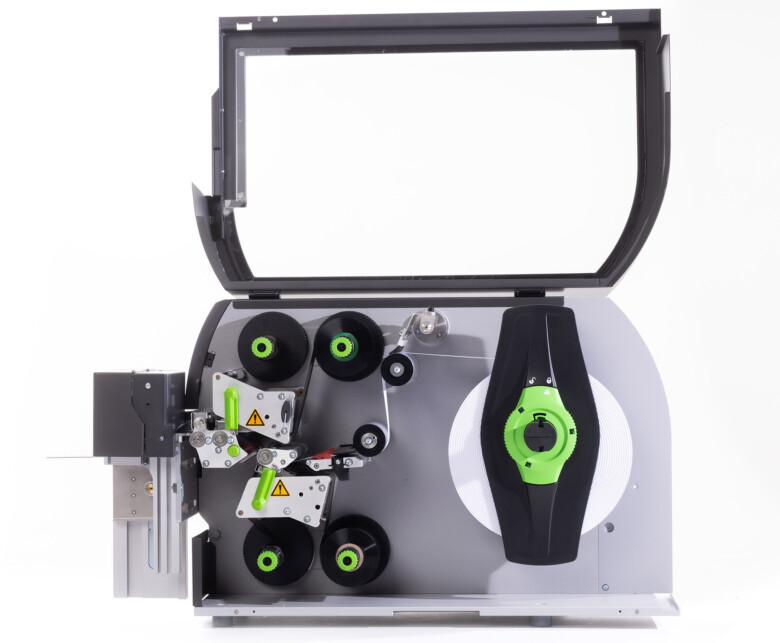
It’s likely that the ink foil is on the wrong way round, and it’s applying ink to the printhead instead of the label. Remove the ink foil, clean the printhead with some of our printhead wipes or isopropyl spray, and put the ink foil back on the other way around. The general rule of thumb when loading ink foil is dull side down, shiny side up!
03
I’ve got a warning notification on my printer. What should I do?
You will likely be seeing something along the lines of ‘No Gap Found / Media Error’, which could mean several things. The labels might be threaded up incorrectly, which will mean that they’re not going through the sensor. Take the roll of labels off and thread them up again, being sure to consult the diagram to make sure you’re doing this in the correct way for your machine. The sensor might not be in the correct position, so try adjusting it slightly to see whether it picks up on the labels coming through. Alternatively, the sensor might need re-calibrating. Either find the button on your machine that will do this for you or contact us for a little more assistance.
04
How do I clean the printhead on my label printer?
Take off the ink foil and get some of our printhead cleaning wipes, or some isopropyl spray and a cloth. Wipe the print area, removing any visible dirt or residue. Rethread the machine, reload the ink foil, and run a small job again to see whether print quality improves.
05
My printer isn’t communicating with my computer. What should I do?
The first thing to do is to check that the cable running between your computer and printer is connected properly, and in the correct port. Also ensure that the port on the computer is selected correctly (e.g. USB-C, USB), by navigating to your settings. You should also make sure that you’re trying to send a job to the correct printer, and not another that is synced with your computer.