


How To Print Your Own Labels
To print your own labels, choose a label printer based on label size, weekly volume, durability requirements and the type of information you need to print. Thermal transfer printing is usually recommended for durable product labels, while direct thermal printing is more suited to short-term labels such as shipping labels and receipts.
Facts & Figures Block
- Entry-level desktop thermal label printers: approximately £80-£240.
- Mid-range commercial printers: approximately £600-£800.
- Industrial high-volume printers: approximately £800-£2,400+.
- Label design software range stated on Soabar’s guide: £0-£400.
- SoLabel Standard is priced at £249 for lifetime use.
- Initial label and ribbon supply estimate: £40-£160.
- Direct thermal label material estimate: 1-4 pence per label.
- Thermal transfer self-adhesive label material estimate: 1-4 pence per label.
- Thermal transfer ribbon/foil estimate: approximately 1-2 pence per label.
- Average outsourced custom printed label estimate: 7-20 pence per label.
- In-house printing estimate: just over 1p to 5p per label.
- Potential saving stated on Soabar’s guide: 50-70% for most businesses.
How To Print Your Own Labels
A practical guide to printing labels in-house with the right printer, labels, ribbons and software.
Why businesses print labels in-house
Printing labels in-house gives businesses more control over cost, timing, stock and product changes. Instead of waiting for every label batch to arrive from an external supplier, teams can print the quantity they need, update details quickly and respond to urgent orders, promotions or stock changes.
Direct thermal vs thermal transfer
Direct thermal printing uses heat-sensitive paper and does not need ink, toner or ribbons. It is suitable for short-term labels such as shipping labels, receipts and temporary identification. Thermal transfer printing uses a heated ribbon to transfer ink onto the label material, creating more durable labels that resist fading, smudging and environmental exposure. For product labels, Soabar recommends thermal transfer printing because of the durability and label quality it produces.
Typical setup costs
Printer costs depend on print volume and capability. Entry-level desktop printers are typically around £80-£240, mid-range commercial printers around £600-£800, and industrial high-volume printers around £800-£2,400+. Additional setup costs may include software, labels and ribbons. SoLabel Standard, Soabar’s specialist software, is priced at £249 for lifetime use.
Per-label cost comparison
In-house printing can be cost-effective for businesses that print regularly. Soabar’s guide estimates label material at 1-4 pence per label, with thermal transfer ribbon or foil adding around 1-2 pence per label. Outsourced custom printed labels are estimated at 7-20 pence per label, while in-house printing can bring the cost down to just over 1p to 5p per label.
Control, speed and flexibility
With your own printer, you can print exact quantities, make last-minute artwork or information changes, create seasonal label variations, test designs and avoid minimum order quantities from external suppliers. For businesses with frequent product updates, barcode needs or changing packaging information, in-house label printing can offer a strong operational advantage.
In today’s competitive business environment, printing your own labels can make a huge difference to your product presentation, operational efficiency, and bottom line costs.
Whether you’re a small business owner looking to enhance your packaging or a warehouse manager seeking to streamline inventory management, printing your own labels offers your business multiple advantages. This guide walks you through everything you need to know about in-house label printing.
Different Label Printing Technologies
When it comes to printing your own labels, thermal printing stands for its efficiency, quality, and cost-effectiveness:
Thermal printing technology comes in two main variants:
Direct Thermal Printing:
- Uses heat-sensitive paper that darkens when heated
- No ink, toner, or ribbons required
- Ideal for short-term applications like shipping labels, receipts, and temporary identification
- Labels may fade over time, especially when exposed to heat, sunlight, or certain chemicals
Thermal Transfer Printing:
- Uses a heated ribbon to transfer ink onto the label material
- Produces more durable labels that resist fading, smudging, and environmental factors
- Suitable for long-term applications like product labels, asset tags, and compliance labels
- Requires replacement ribbons, adding a consumable cost
Both technologies offer quiet operation, precise printing, and excellent reliability.
However for product labels we would only recommend thermal transfer printing, due to the durability and the quality of the labels produced.
The Cost of Printing Your Own Labels
Initial Investment
Thermal label printers range in price depending on what they can do and print.
- Entry-level desktop printers: £80- £240
- Mid-range commercial printers: £600 – £800
- Industrial-grade high-volume printers: £800- £2,400+
Additional setup costs might include:
- Label design software: £0-400
Soabar’s printing software is offered on both a one-off and a perpetual basis. SoLabel Standard, our own specialist software is priced at £249 for a lifetime of use. - Initial supply of labels and ribbons (for thermal transfer): £40-160
Ongoing Costs
When calculating the per-label cost of in-house printing, consider:
For Direct Thermal:
- Label material: 1-4 pence per label (this varies by size and quality)
- No additional consumables required
For Thermal Transfer:
- Label material e.g self-adhesive: 1-4 pence per label
- Ribbon/Foil: This adds approximately 1-2 pence per label
Benefits of Printing Your Own Labels
– Cost Efficiency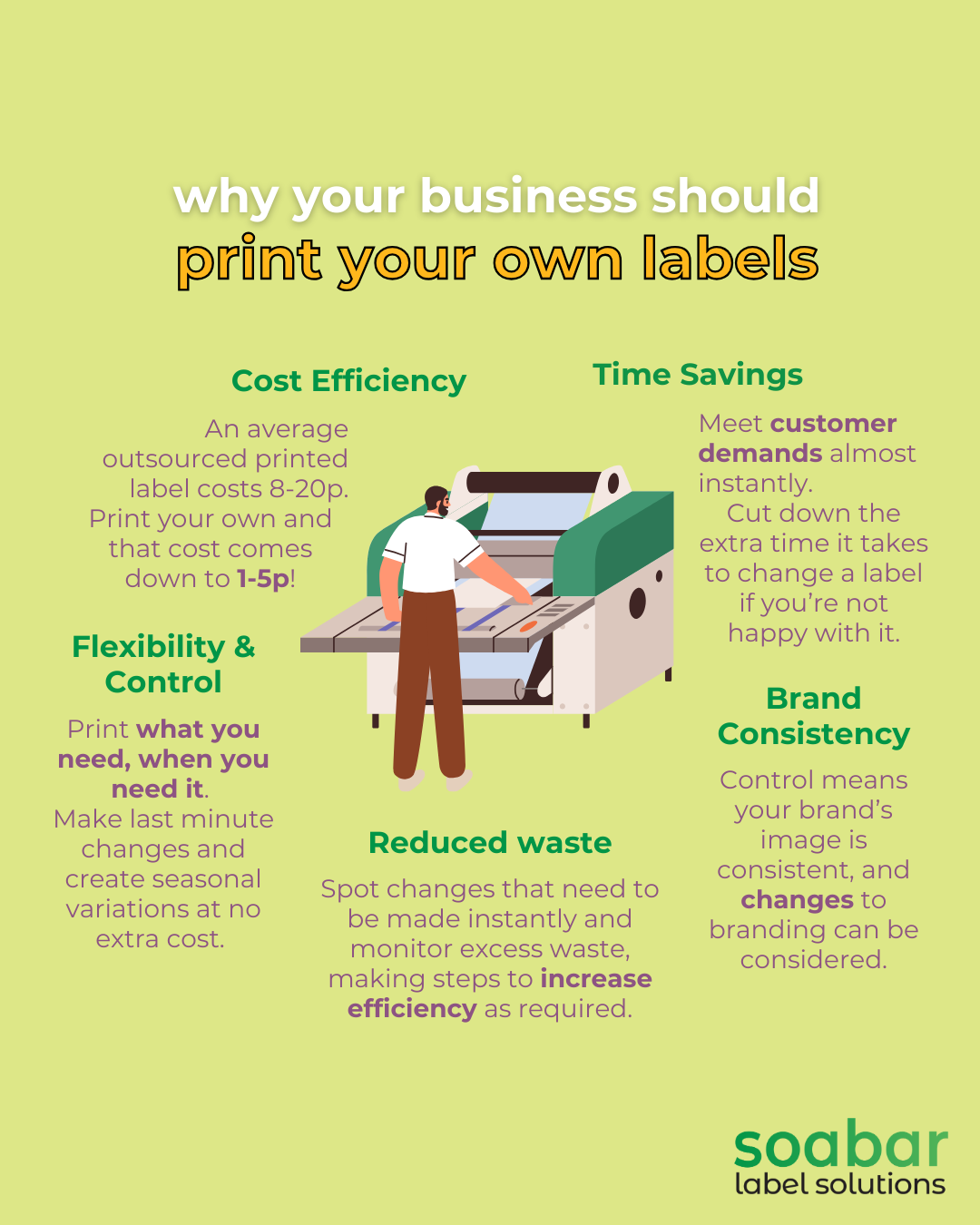
The most significant reason why businesses opt to print their own labels is cost.
The average outsourced custom printed label costs 7-20 pence, but this can jump up to be higher for smaller quantities.
However if you were to print your own labels in hose, the cost comes down to just over 1p per label to 5p. This includes materials and minimal electricity usage.
Other than these savings, you also have to consider the setup fees that may be charged by external printers, minimum order quantities, rush charges for expedited orders and standard shipping costs for delivery.
In simple terms, this is a 50-70% cost saving for most businesses, with even greater savings if you’re printing higher volumes.
The numbers speak for themselves!
– Flexibility and Control
With your own label printer, you can:
- Print exactly the quantity you need, when you need it
- Make last-minute changes to designs or information
- Create seasonal or promotional variations without additional setup costs
- Test new designs before committing to larger runs
These are all huge advantages, granting you business autonomy and flexibility when you need it the most.
– Time Savings
Time is money, especially in business. You likely will have experienced a customer that expects an order of your product(s) in a short time frame, but you’re waiting on elements of the product from other suppliers before you can go ahead and ship.
If you print your own labels in house, this problem is eliminated as there is immediate label availability for urgent orders.
Likewise, if a label order that you receive from your supplier is slightly incorrect or not as you expect, then you again have a long time to wait until this problem is resolved, and ultimately the labels are re-printed.
By having your own label printer in house, you can adapt quickly and resolve the issue, streamlining workflow and increasing customer satisfaction.
– Brand Consistency
Maintaining control over your labelling also ensures that your brand reputation and image is maintained.
Brand representation is consistent, you have quality control over every label produced and you can adjust quickly to brand updates.
How to Get Started with In-House Label Printing
Step 1: Assess Your Needs
Before purchasing equipment, make sure that you ask yourself these key questions:
- Label volume – How many labels do I require each day/week/month?
- Label sizes and materials required- What size labels do I need printing and on what materials?
- Durability requirements – How will my labels be handled? What will they be exposed to?
- Print quality needs – Will I need to print barcodes, fine text and lots of colour?
- Integration with existing systems- If I print my own labels, how will this fit with the current workflow of the business?
By answering these questions, you will be able to determine whether or not printing your own labels is the correct choice, or which printer is right for you.
For example, if your company only requires 1000 labels per year of 2 different varieties including lots of colours and text, then it might be better to in the short term to still outsource your labels. This is because the cost of the label printing machine and materials could be higher than the costs that you would be paying by outsourcing your labels.
However if you are printing 8 different types of labels and require 5,000+ per year, all including a barcode, then we would definitely recommend an entry-level label printing machine, such as the 2S Series Thermal Label Printer.
Speak to one of our knowledgeable, friendly team for the best advice and recommendations, tailored specifically to your business.
Step 2: Choose the Right Printer
If you’ve answered the questions above and chatted your needs through with one of our team, then the next step is to choose the right printer for your business.
- For low volumes and basic needs: We would recommend our 1 Pro Series Desktop Printer.
- For medium volumes with durability requirements: A smaller printer such as the 2S Series Thermal Label Printer or even the DCQ Label Printer if multiple colours are required on your labels would be preferred.
- For high volumes or industrial environments: Our 4+ Series Printer would be preferable thanks to it’s durability, or for wider labels the 6+ Series is likely the best option for you.
Step 3: Select Appropriate Supplies
You’ve decided on your label printer, so now it’s time to match your label materials to your desired aesthetic and environmental requirements.
If you’re not already, we’d recommend at this stage definitely speaking to one of our experienced team, as they will be able to make recommendations based on their extensive product knowledge and experience in the industry.
The basics to consider are whether you require:
- Paper labels- These are an economical choice for standard applications. Use a material such as self-adhesive (PP).
- Synthetic labels- For moisture resistance or outdoor use.
- Specialty materials: If your labels will be going into extreme temperatures, require chemical resistance, or need unique adhesive requirements.
Step 4: Design Your Labels
Although this is listed here as a latter step, for some customers we know that this is something that could have been finalised before deciding on whether or not to print your own labels!
Use label design software such as SoLabel or NiceLabel to create professional layouts. Make sure that you:
- Include all required information (product details, barcodes, etc.)
- Maintain brand consistency with logos and colors
- Ensure readability with appropriate font sizes
- Test scan-ability for barcodes and QR codes
Step 5: Implement and Optimise
It’s time to get your machine installed and running!
This is done by our Technical Support Team who will be on hand to set everything up for you, and train your staff on how to use the printer and the required software.
They will also give training on printer maintenance, talk through quality control procedures with your operators and ensure you know how to order more materials and supplies as and when you need them.
Then you can go ahead and start printing!
You might want to track your cost savings and efficiency improvements, all of which we can support you with!
Conclusion
To summarise, printing your own labels provides substantial cost savings, flexibility, and control over your labelling process.
With the right thermal printing solution, you can enhance your product presentation while streamlining operations and reducing expenses. The initial investment in quality equipment quickly pays for itself through per-label savings and operational efficiencies.
Our team specialises in helping businesses find the perfect label printing solution for their unique needs. Whether you’re looking for equipment, supplies, or expert advice, we’re here to help you navigate how to print your own labels in-house and maximise your return on investment.
Ready to take control of your labelling needs? Contact us today to discuss how we can help you implement an efficient, cost-effective label printing solution for your business.