Loftware NiceLabel Cloud: Cloud vs On-Premise Labelling Solutions Introduction Cloud technology has transformed modern business operations across industries. From collaborative...
What Material Should I Choose for my Product Label?
When it comes to product labelling, what looks great on a digital proof might fail spectacularly in the real world if you choose the wrong material. A label that looks pristine on a retail shelf might peel off completely if it’s subjected to freezing temperatures, or fade away if exposed to harsh chemicals.
Choosing the right label isn’t just about aesthetics; it’s about understanding the exact environment your product will live in.
Not sure where to start? Scroll down for our comprehensive industry breakdown.
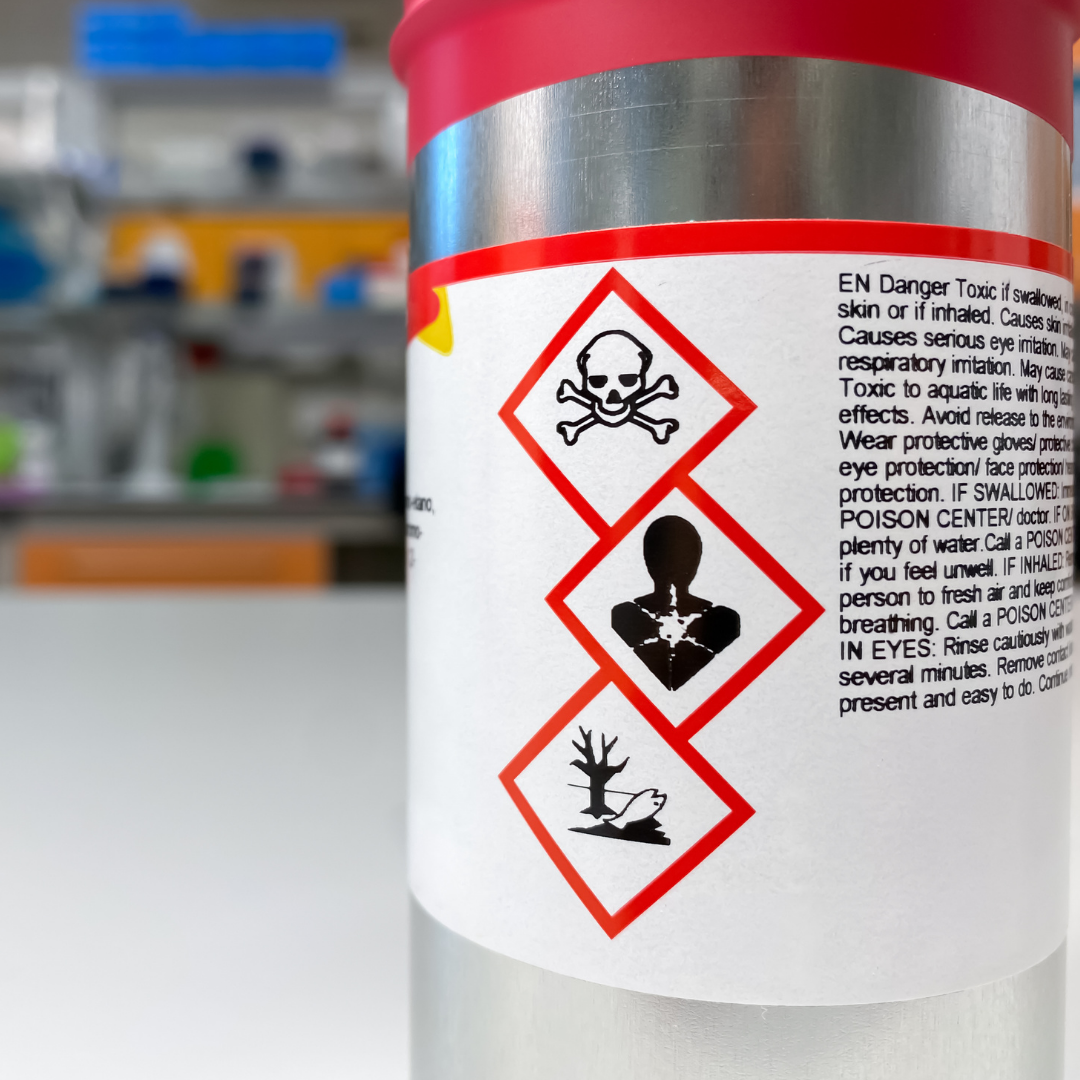
Chemical
Choose from either polypropylene (PP) or a polyester (PET) with an added considerations of BS5609 Approval and the adhesive chosen.
-
Polypropylene (PP): The most common and cost-effective choice for chemical bottles, drums, and containers. It is flexible, tear-resistant, waterproof, and holds up exceptionally well against general moisture and mild-to-moderate chemicals.
-
Polyester (PET): If your chemical container will be exposed to aggressive solvents, harsh acids, or extreme industrial environments, Polyester is the gold standard. It offers superior durability, won't stretch or tear, and resists chemical degradation significantly longer than PP.
-
BS5609 approval: This rigorous marine standard ensures the adhesive and the print (typically on a durable PP or PE plastic) remain fully intact and legible even after three months submerged in seawater.
- High tack adhesives: Chemical labels require an extra-permanent, high-tack adhesive (often rubber-based or high-coat-weight acrylic). This ensures the label doesn't lift or slide when applied to difficult surfaces like plastic drums (which can flex), textured metal, or containers that undergo temperature shifts.
Food & Beverage
Food and drink products face extreme temperature fluctuations, condensation, and varying storage conditions.
Food
For standard, shelf-stable, or refrigerated goods, a mid-gloss finish with a basic vellum coating and a standard permanent adhesive works perfectly.
However, if your product is destined for the freezer (particularly deep-freeze environments dropping to -18°C or even -30°C), you need a specific freezer-grade adhesive. Crucially, you must consider the application temperature. A label applied at room temperature before the product is frozen requires a different adhesive formulation than a label being applied to a product that is already frozen or partially frosted.
Beverage
Drinks packaging is all about brand shelf-appeal and moisture resistance. You can experiment with:
-
- Textured papers: Uncoated, textured, or embossed papers give a premium, rustic feel (ideal for wines and spirits).
- Plastics: Polypropylene (PP) or Polyethylene (PE) handle condensation beautifully, making them perfect for chilled beers and water bottles.
- Finishes: Elevate the design with "rough touch" varnishes, metallised foils, or high-build embossing.
Retail & Soft Furnishings
For retail apparel, a mid-gloss permanent label is standard for general packaging. However peelable adhesives are essential for price tags or promotional stickers placed directly on items. Choose a mid-gloss or lightweight paper as your material base. For clothing and high-end retail, non-adhesive swing tickets printed on heavy cardstock offer a premium unboxing experience.
For Soft Furnishings, choose a textile material that can either be stuck directly onto the product (adhesive) or sewn on by either a machine or hand. Cushions, curtains, and upholstery require stitched-in textile materials, typically woven from polyester, nylon, or satin. These labels must survive years of washing and wear, and frequently need to contain specific fire-resistant properties to comply with safety regulations. Browse our range of textile materials on our website that are perfect for any soft furnishing item.
Health, Beauty & Pharmaceuticals
Pharmaceuticals
Medical labels prioritise clarity and safety. They are typically printed on matte white paper or a mid-gloss permanent material to ensure instructions and barcodes are highly legible. Because vials and pill bottles have small, curved surfaces, the adhesive must have excellent "mandrel hold" to prevent the edges from lifting over time.
Cosmetics
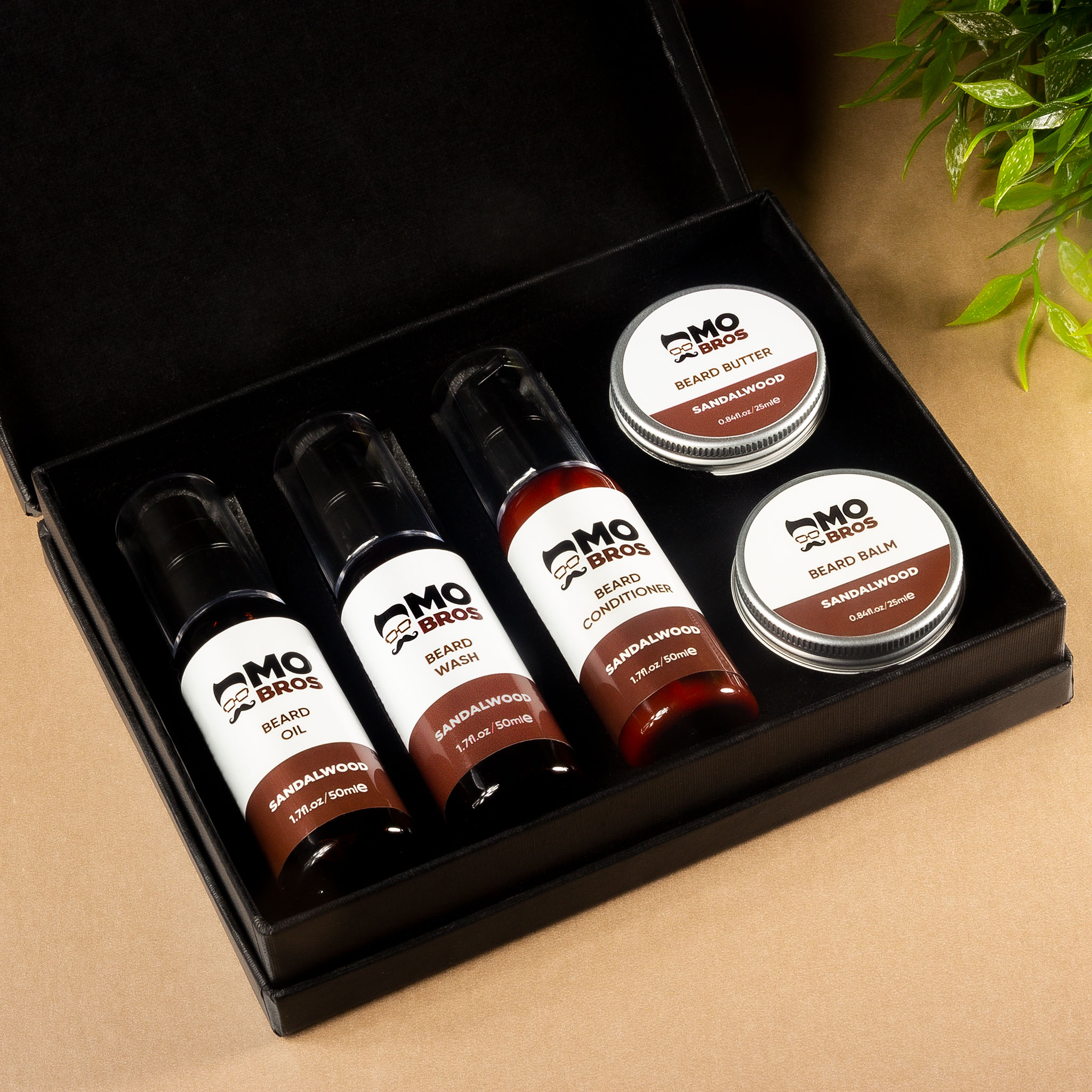
Cosmetics demand high-end aesthetics. For products like nail varnish, serums, or clear bottles, a clear PP plastic is used to create a seamless "no-label look." Because cosmetic containers are often tiny, peel and reveal (multi-layer) technology is incredibly popular—allowing brands to stack ingredients, legal text, and multiple languages underneath the top layer.
Automotive, Engineering & Heavy Industry
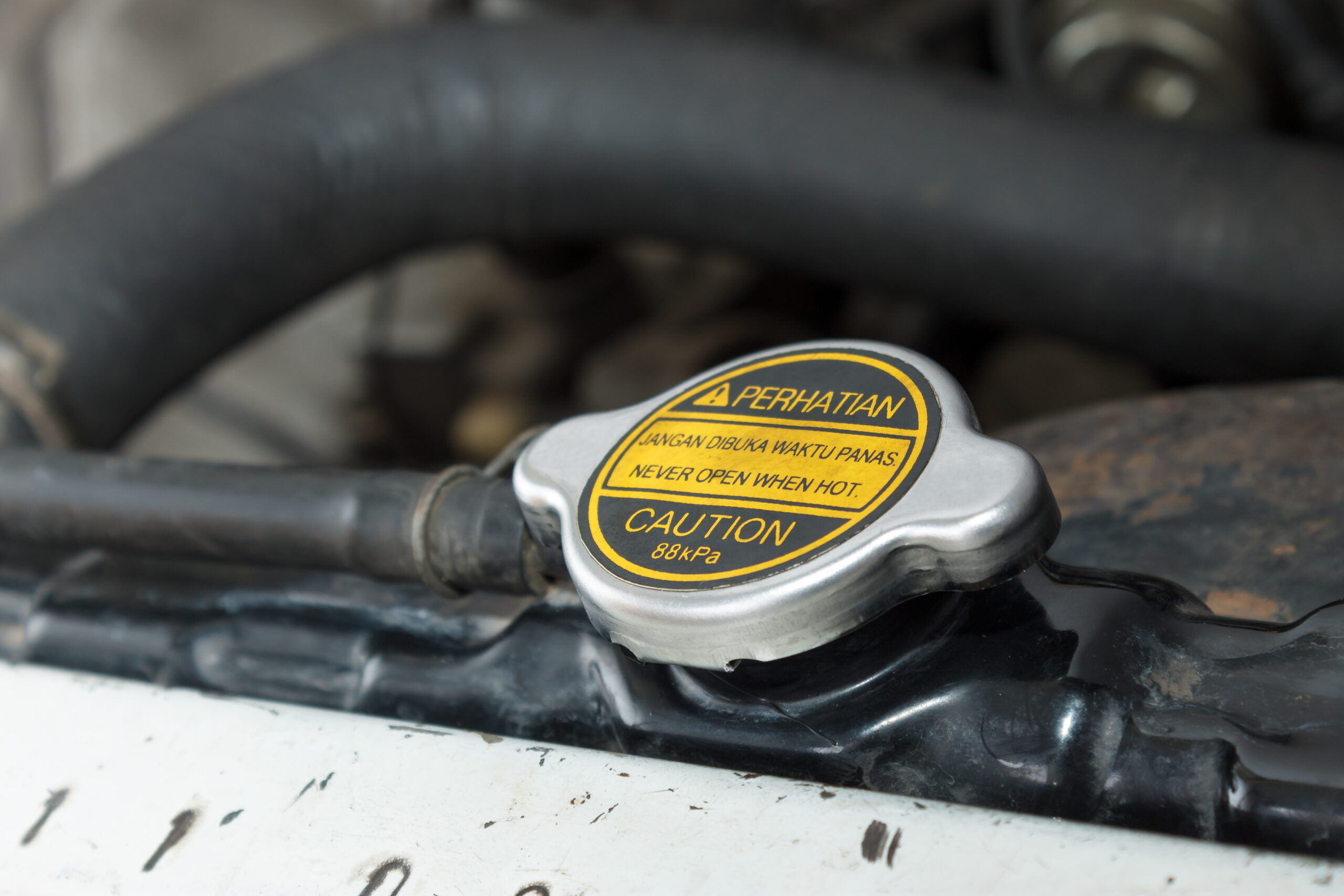
For the automotive industry, it's vital that you consider that vehicle components are exposed to engine heat, oil, and harsh cleaning fluids. Automotive labels are typically made from highly durable Polyester (PET) and must be UL (Underwriters Laboratories) approved. This certification proves the label won't catch fire or degrade under extreme stress.
For products that need to withstand heavy duty, harsh environments such as machinery parts, construction materials, and heavy-duty rubble bags, you should consider specialised thick plastics. These should be paired with highly aggressive, high-tack adhesives that can grip onto rough, dusty, or oily surfaces.
- QR Codes
- RFID (Radio Frequency Identification)
- NFC (Near Field Communication)
- Digital Product Passports
- Cloud-Based Tracking Systems
- Real-Time Data Integration
Unlike traditional labels, smart labels enable products to carry dynamic information that can be accessed, updated, and monitored throughout their journey.
Security & Logistics
In the supply chain, labels are either designed to move fast or protect what’s inside.
Security
If you need to guarantee a product hasn't been tampered with, security labels are the answer. Tamper-evident materials leave a permanent "VOID" message on the product surface if someone tries to peel them back. Alternatively, destructible vinyl is designed to shatter into tiny, un-peelable flakes if tampered with.
Transport & Logistics
Shipping labels prioritise speed and barcode scan-ability over long-term aesthetics. They are usually printed on standard paper using Direct Thermal (heat-activated, short lifespan) or Thermal Transfer (uses an ink ribbon, longer lifespan) printing. The adhesive needs to be an aggressive rubber-based compound designed to instantly grip onto cardboard boxes, wooden pallets, and shrink wrap.
Always Product Test!
Before committing to a large print run, always test your labels in their actual, real-world environment.
Spec sheets and digital proofs can only tell you so much, but they cannot predict how an adhesive will react to a specific type of plastic container, how a material will flex when frozen, or whether a surface oil will cause the edges to lift over time.
To ensure total success, we can send you a sample roll of labels before you place an order with us. Apply the label to your product under normal working conditions, subject it to your storage extremes (such as refrigeration, transport, or shelf-wear), and perform a rub test if chemicals or moisture are involved. Taking a few days to properly test your labels upfront guarantees product integrity, prevents costly reprints, and ensures your brand looks flawless from the moment it hits the shelf.
Ready to make your product stand out on the shelves, ensure compliance, and get those sales in? Reach out to us today with your requirements or any questions- you can be assured you're in the best hands!
Frequently Asked Questions - Printer Maintenance
01
What do the lines mean that are going through the print on my label?
If the line is in a diagonal direction, it is likely that the foil is creasing. Simply adjust the tension bar or clutch.
If the lines are vertical, then the printhead could either be dirty, or there could be dots or pixels on the printhead. If the latter is the case, you might need a new printhead. Contact us for us to diagnose the problem before ordering new parts.
Horizontal lines often indicate that the machine has stopped to make a cut. Usually, the machine will automatically try and blend this line out. Trying to alter the design of your label could help to solve the problem, however if there is a cut in the roller then it might need replacing. Contact our Technical Team if you think that this might be the case.
02
Nothing is printing onto my label but it’s going through the print process. What’s happening?
It’s likely that the ink foil is on the wrong way round, and it’s applying ink to the printhead instead of the label. Remove the ink foil, clean the printhead with some of our printhead wipes or isopropyl spray, and put the ink foil back on the other way around. The general rule of thumb when loading ink foil is dull side down, shiny side up!
03
I’ve got a warning notification on my printer. What should I do?
You will likely be seeing something along the lines of ‘No Gap Found / Media Error’, which could mean several things. The labels might be threaded up incorrectly, which will mean that they’re not going through the sensor. Take the roll of labels off and thread them up again, being sure to consult the diagram to make sure you’re doing this in the correct way for your machine. The sensor might not be in the correct position, so try adjusting it slightly to see whether it picks up on the labels coming through. Alternatively, the sensor might need re-calibrating. Either find the button on your machine that will do this for you or contact us for a little more assistance.
04
How do I clean the printhead on my label printer?
Take off the ink foil and get some of our printhead cleaning wipes, or some isopropyl spray and a cloth. Wipe the print area, removing any visible dirt or residue. Rethread the machine, reload the ink foil, and run a small job again to see whether print quality improves.
05
My printer isn’t communicating with my computer. What should I do?
The first thing to do is to check that the cable running between your computer and printer is connected properly, and in the correct port. Also ensure that the port on the computer is selected correctly (e.g. USB-C, USB), by navigating to your settings. You should also make sure that you’re trying to send a job to the correct printer, and not another that is synced with your computer.
Stay Informed with Soabar
Your Guide To Thermal Printer Maintenance And Servicing
The Complete Guide to Thermal Printer Maintenance in 2025 Why Proper Maintenance Matters Now More Than Ever In today's high-efficiency...
100 Years of Soabar!
The Soabar Legacy: Innovation in Label Solutions Since 1920 Our Story Today we're marking 100 years of Soabar! Our journey...