


Direct thermal printing uses heat-sensitive label material and no ribbon. Thermal transfer printing melts ink from a ribbon onto the label. Inkjet printing ejects liquid ink to create text, graphics and—on colour models—full-colour images. The best choice depends on label life, environment, colour needs, volume, speed and total operating cost.
Related guidance for the next decision
Thermal-transfer users should compare thermal transfer ribbon types; the how to print labels in-house covers the wider equipment decision. Existing printer fleets can use thermal printer support and downloads.
Direct thermal
A direct-thermal printhead activates a chemical coating in the label face. With no ribbon to load, operation is straightforward and well suited to short-life shipping, receipt, identification and logistics labels. The image can darken or fade with heat, UV light, abrasion and time, making the method unsuitable for many long-life, outdoor or heat-exposed applications.
Thermal transfer
Thermal-transfer printers heat a wax, wax-resin or resin ribbon and transfer the image to paper or synthetic stock. The combination can provide sharp barcodes and more durable print than direct thermal. Ribbon grade must match the face material and resistance requirement. It adds a consumable and creates used ribbon, but supports a broad range of label constructions.

Inkjet
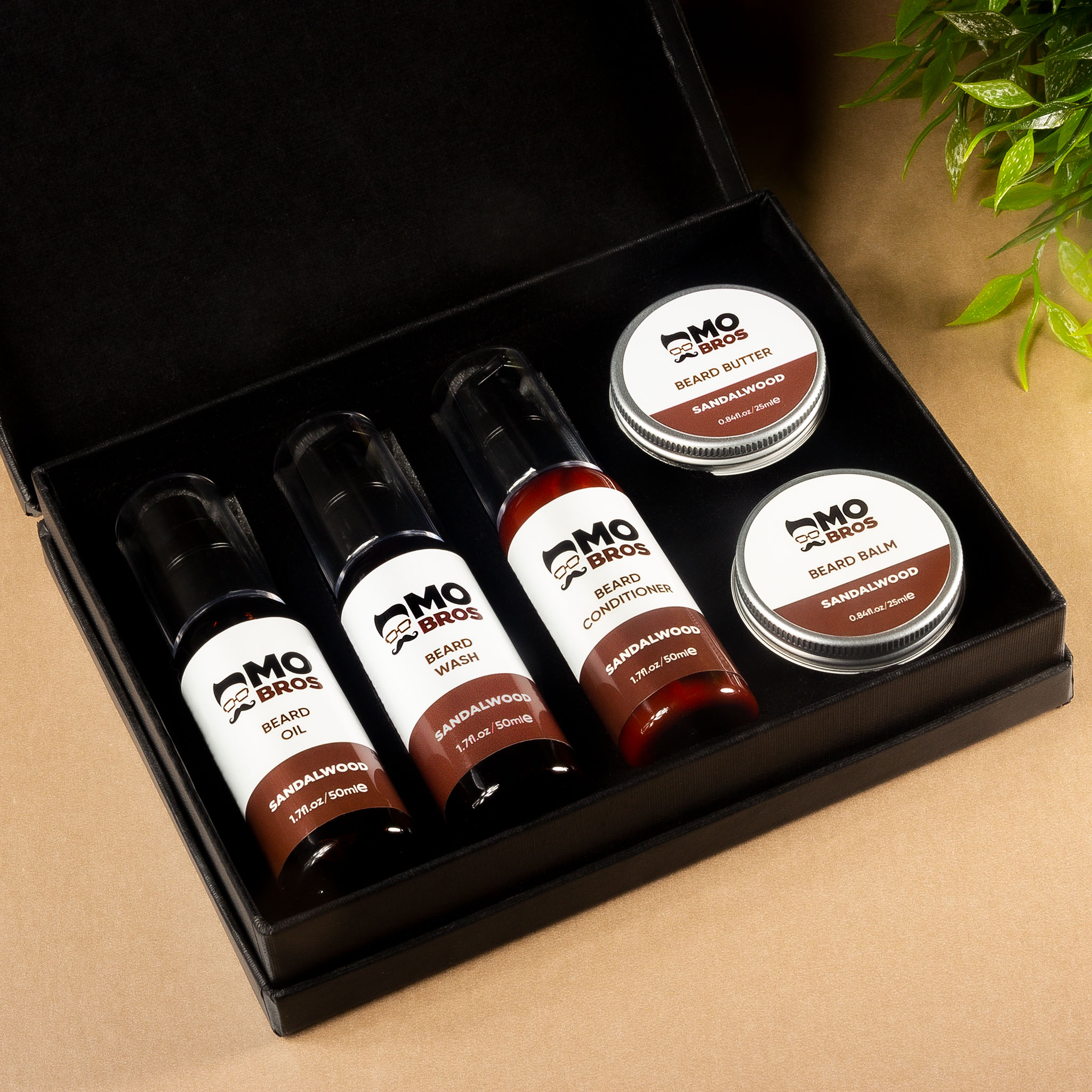
Inkjet label printers can produce full-colour branding, photographs, hazard cues and versioned artwork on demand. They suit businesses that need flexible colour without ordering every design preprinted. Ink chemistry, print speed, duty cycle, head maintenance and media compatibility vary between systems. Water and chemical resistance must be tested with the chosen ink and stock.
Durability comparison
Direct thermal is generally chosen for shorter life and controlled exposure. Thermal transfer ranges from economical paper printing to durable resin-on-film applications. Inkjet durability depends heavily on pigment or dye ink, media coating and protection. No technology is universally permanent; the complete system must be tested against moisture, abrasion, heat, light, chemicals and required life.


Colour and artwork
Direct thermal is usually monochrome, based on the material’s reactive coating. Thermal transfer commonly prints one ribbon colour at a time, although coloured ribbons and preprinted stock are available. Colour inkjet is the natural choice for on-demand multi-colour designs, while high-volume branded work may also be supplied as professionally preprinted rolls with variable information added later.
Cost and workflow
Compare equipment, media, ribbons or ink, maintenance, operator time, downtime, waste and print volume. A low-cost printer can become expensive if consumables are unsuitable or operators change rolls constantly. Also consider resolution, maximum width, roll capacity, cutter or rewinder needs, connectivity, software and support.
Choosing with Soabar
Soabar supplies label printers, consumables and software alongside printed labels. The 4+ Series supports industrial thermal workflows, while colour inkjet options are available for on-demand colour applications. A sample-print trial using the actual label construction is the most useful comparison.
Start with the operational requirement
Write a short specification for a label-printing technology before comparing products or prices. Define what the label must communicate, where it is applied, who applies or reads it, how long it must perform and what can cause failure. Include volumes, peak demand and the consequence of an unreadable, detached or incorrect label. This turns a vague request into measurable acceptance criteria and gives the supplier a sound basis for recommending materials, equipment or production methods.
Prototype on the real product
A flat sample in an office cannot reproduce every condition faced by a label-printing technology. Test the actual container, garment, item or roll through application, storage, transport and use. Include worst-case but realistic temperatures, moisture, abrasion, speed, curvature and handling. If machinery is involved, run enough labels to expose feeding, sensing and changeover issues. Photograph and record results so approval is traceable and can be compared after a material or process change.
Control artwork and data
Use one approved master for text, dimensions, colours, codes and version status. Make responsibilities clear: who supplies data, who approves content, who checks proofs and who releases production. Variable information needs validation rules for length, character set, uniqueness and barcode or encoded-data quality. File names alone are weak version control; an artwork schedule or product specification should link each approved design to its intended item and quantity.
Consider the converting process
Printing is only one part of label manufacture. Die cutting, matrix removal, slitting, lamination, varnishing, rewinding, inspection and packing can affect the finished roll. Very small gaps, sharp corners, thin liners, heavy ink coverage or unusual shapes may influence dispensing and application. Discuss the production line early so a visually attractive design does not become difficult to manufacture or apply consistently.
Plan for quality checks
Define what will be inspected and how often. Useful checks can include dimensions, copy, colour target, adhesion, print rub, barcode grade, roll count, winding, sequence, electronic encoding or resistance testing, depending on the job. Agree tolerances that reflect the application. Retain an approved sample and job specification so repeat orders are compared with a physical and documented standard rather than a recollection of how the previous batch looked.
Think about total cost
The purchase price of a label-printing technology is only one cost. Include artwork changes, tooling, consumables, operator time, waste, downtime, storage, obsolete stock and failures in the field. A durable construction can cost more per label but reduce relabelling or returns. Conversely, over-specifying a short-life label wastes money and materials. Match performance to the genuine product journey and expected service life.
Sustainability without performance trade-offs
Reduce unnecessary material, liner and obsolete stock while ensuring the label still performs its essential role. A label that falls off and causes a product or pack to be discarded is not an environmental success. Consider face stock, adhesive, ink, coating, release liner, pack compatibility, recyclability claims and production waste together. Ask for evidence supporting material claims and avoid broad environmental language that the complete construction cannot substantiate.
Information to send with an enquiry
Provide product photographs and samples, surface material, dimensions, exposure, storage range, required life, artwork count, annual and batch quantities, application method, equipment model, core and roll limits, print or data requirements and relevant standards. State which characteristics are critical and which can be adjusted. Complete information shortens the sampling process and reduces the risk that a label-printing technology is specified for an imagined environment rather than the real one.
Build the decision around evidence
Good label decisions are documented rather than assumed. Record the product specification, approved artwork, samples, test conditions and sign-off. Where the content carries safety, care, traceability or regulatory information, include an independent check by someone who did not prepare the original file. This simple separation catches familiar wording, transposed values and outdated versions that the original author may overlook. Evidence also makes later troubleshooting faster because the team can distinguish a design decision from an uncontrolled production change.
Manage changes before the next order
Products, ingredients, suppliers, containers, machinery and legal requirements can change during the life of a label. Set a review trigger for each relevant change rather than reordering automatically from the previous file. Confirm that material, adhesive, dimensions, wording, codes, orientation and quantities are still correct. Withdraw obsolete artwork and identify superseded label stock so it cannot return to the packing line. Repeat orders should be convenient, but convenience should never bypass content approval or application checks.
Work with the supplier early
Early discussion gives the label supplier room to solve constraints through material choice, artwork adjustment, finishing, roll format or printing method. Sending finished artwork only after every decision has been locked can hide avoidable problems. Share non-negotiable requirements and explain the production process, then allow suitable alternatives to be sampled. The strongest result combines the product owner’s knowledge of the item and customer with the supplier’s knowledge of print, materials, converting and equipment.
A practical specification checklist
Before ordering or acting, record the intended use, the product or garment construction, environmental exposure, required lifetime, critical information, production method and any equipment constraints. Confirm the final artwork at actual size and test a representative sample. Keep the approved specification and sample with the job record so repeat production is based on evidence rather than memory.
Frequently Asked Questions
Frequently Asked Questions - Machines
01
How do I know which label printer is best for my business needs?
You should consider the size of the labels that you want to print, how many of them you will be printing each week and the end use of the label. We have created a handy blog post and table that will help to point you in the right direction, or you could try and use our Quote Calculator to give you an idea too.
02
Can I print labels in multiple colours?
Yes you can! However, how many colours depends on the type of printer that you have. Most printers that we sell are single colour (for example the 1Pro Series and the 2S Series), so you can swap the colour of the ink each time a different colour is desired. Or there are two fixed-colour printers (e.g. the DCQ and the DTQ) which work on the same principle. If you are looking for full colour printing, then choose one of our inkjet printers such as the Epson CW8000e.
03
Why are some of Soabar’s machine prices higher than other label printing machines that I’ve found?
At Soabar we don’t just sell you a label printing machine. Unlike most other companies, we provide you with the whole package to not only get you up and running, but to also ensure that you can keep on printing labels for years to come. All of our machines come inclusive of set-up and installation costs, in-person training (if desired) on how to use the machine and a full year’s warranty. You can see what this includes here. For most of our new customers, their experience of fixing, servicing and maintaining a label printer is limited. Therefore, having us on hand to be able to resolve any problem that might arise is crucial to their business operating smoothly on a day to day basis.
04
If I buy a machine from Soabar, how long can I expect it to last?
The average lifespan of a machine varies depending on the condition that it is kept in, how regularly it is serviced and the materials being ran through it. Many of our customers have had their Soabar Label Printer for way over 10 years before they even need to think about replacing it for a new one! However, the standard measure that we say is that after around 30,000m of labels printed, it’s worth thinking about getting a new one.
05
Does a machine come with the software required to print labels from my laptop/computer?
Most of our printers come with basic label printing software, however this might not be suitable for all your business needs. Additionally, there are some printers that will require software to be purchased at an extra cost. Navigate to each printer page to find out the information specific to the printer you are looking at.
06
Is it better to print my own labels and buy a machine, or get you to print my labels for me?
This will largely depend on the quantity of labels that you require and complexity of your label design. If you are going to be printing high volumes of labels and require full colour printing with quick turnaround times, then it will likely be worth speaking to us about the benefits of buying a label printer to print your own in-house.
07
Can I buy the materials (e.g. ribbon, foil, blank labels) for my machine from you?
Yes you can! Either navigate to our Supplies page to browse our range, or if you have purchased materials from us before, then just contact us to let us know what it is that you require.
Frequently Asked Questions - Labels
01
What different materials can my labels be printed onto?
We have various different materials that your labels can be printed onto, which will depend largely on what product the label is going onto and where it will be stored. The main 4 are Gloss White Polypropylene, Semi Gloss White Paper, Matt Wine Paper and Gloss Clear Polypropylene. We also print Double Sided and as a Window Sticker. Metallic materials can also be used, namely Silver Polypropylene (PP) and Silver PP with White Ink. All have different properties that make them suitable for varying applications.
02
Can you design my label for me?
Our artwork department can help you to design your label, as we have over 50 years of experience in doing so! We know what makes a label stand out on the shelves, and the information that needs to be printed on to meet government guidelines. This will be a collaborative process, that will often involve you coming to us with ideas such as colour schemes, fonts and logos. If you already have a design, we can tweak this to make it look good and work on a label!
03
Can I order blank/partially printed labels and overprint variable data myself?
Yes you can! This is what a lot of our customers do when what needs to go onto the data is variable data or personalisation. We can supply you with completely blank labels and you print everything that needs to go on the label (such as barcodes, text or sequential numbering) yourself with one of our printing machines. Alternatively, we can print more complex designs in-house, ship these rolls of labels out to you, and you can finish them with any variable data or personalisation depending on business needs.
04
Can my labels be cut into different shapes or do they have to be a standard shape, like a rectangle?
For our self-adhesive labels, we can supply you with many different shaped labels and will likely have a cutter for most label orders, if required. However there may be a small additional charge if your label design is complex and requires a custom cutter to be made. For textile labels, these are printed as a rectangle in different widths.
05
How many labels can fit onto a roll?
This will depend on the application of your label- there is no standard quantity for a roll of labels.
06
How do I fit all the information that I need to onto one label?
This is becoming an increasing challenge as guidelines change on what information needs to be included on a label. For example, in December last year GPSR came into force. This applies to all products being sold in the EU market and significantly increased the amount of information needing to go onto a label. Instead of having your whole product plastered in one huge label containing all the information, you can instead choose a Peel and Reveal label. There are multiple layers to your label, so the front can remain branding-focussed, and the fine print can be hidden from view on the inside layers, until the front is peeled away. We print high quality Peel and Reveal labels for your business, as well as double-sided textile labels that also offers a solution to this marketing and compliance challenge.
07
What different industries do you print labels for?
We print labels for businesses operating within the retail, food & beverage, automotive, chemical, pharmaceutical, security, healthcare & cosmetics, soft furnishings, education and apparel industries. This list isn’t extensive, and we are always looking for ways to diversify into new markets and produce the best labels possible to meet customer needs. Read what our customers across a variety of industries have to say about ordering labels from us.
Frequently Asked Questions - Printer Maintenance
01
What do the lines mean that are going through the print on my label?
If the line is in a diagonal direction, it is likely that the foil is creasing. Simply adjust the tension bar or clutch.
If the lines are vertical, then the printhead could either be dirty, or there could be dots or pixels on the printhead. If the latter is the case, you might need a new printhead. Contact us for us to diagnose the problem before ordering new parts.
Horizontal lines often indicate that the machine has stopped to make a cut. Usually, the machine will automatically try and blend this line out. Trying to alter the design of your label could help to solve the problem, however if there is a cut in the roller then it might need replacing. Contact our Technical Team if you think that this might be the case.
02
Nothing is printing onto my label but it’s going through the print process. What’s happening?
It’s likely that the ink foil is on the wrong way round, and it’s applying ink to the printhead instead of the label. Remove the ink foil, clean the printhead with some of our printhead wipes or isopropyl spray, and put the ink foil back on the other way around. The general rule of thumb when loading ink foil is dull side down, shiny side up!
03
I’ve got a warning notification on my printer. What should I do?
You will likely be seeing something along the lines of ‘No Gap Found / Media Error’, which could mean several things. The labels might be threaded up incorrectly, which will mean that they’re not going through the sensor. Take the roll of labels off and thread them up again, being sure to consult the diagram to make sure you’re doing this in the correct way for your machine. The sensor might not be in the correct position, so try adjusting it slightly to see whether it picks up on the labels coming through. Alternatively, the sensor might need re-calibrating. Either find the button on your machine that will do this for you or contact us for a little more assistance.
04
How do I clean the printhead on my label printer?
Take off the ink foil and get some of our printhead cleaning wipes, or some isopropyl spray and a cloth. Wipe the print area, removing any visible dirt or residue. Rethread the machine, reload the ink foil, and run a small job again to see whether print quality improves.
05
My printer isn’t communicating with my computer. What should I do?
The first thing to do is to check that the cable running between your computer and printer is connected properly, and in the correct port. Also ensure that the port on the computer is selected correctly (e.g. USB-C, USB), by navigating to your settings. You should also make sure that you’re trying to send a job to the correct printer, and not another that is synced with your computer.
Experience. Quality. Support.
Why Choose Soabar

40+ Years of Experience

Custom Solutions for Any Sector

Expert, Personal Service

High-Quality, Reliable Products

Nationwide Support
Frequently Asked Questions
Browse common questions about our labels, printers, software, and services. Can’t find what you need? Just ask us.
01
What is the lead time for an order?
We have a lead time of 5-7 working days for a digitally printed label order, 7-10 days for any blank labels, and 10-14 days for label orders printed on one of our flexo machines. If you’re unsure which category your order will fall under, then contact our team for a prompt answer.
02
What will the delivery cost be?
Our carrier charge is £10.16 for deliveries weighing up to 20kg. Once shipped, your order will be with you by the next working day!
03
Do you have a minimum order quantity?
No, we don’t have a minimum order quantity. All orders are priced up in accordance to your specifications, and quantity options will be given to you by one of our friendly team.
04
Can I choose sustainable materials for my labels?
Yes you can! We have various FSC accredited materials that your labels can be printed onto, and compostable options also.
05
What types of labels do you print?
We print self-adhesive labels, both printed and non-printed (blanks), card and textile labels. We also print barcode labels, tamper-proof labels and window stickers. Speak to our team if you have any specific questions, as we’ll always try our best to fulfil your requirements.
06
What format does artwork for my label order need to be in?
We kindly ask for all artwork to be sent as individual files in a PDF Print format. All fonts should be outlined, and a 2mm bleed applied to all label sides. Colours must be supplied in either CMYK or Pantone, and images should be a minimum of 300dpi resolution.
07
I’m not based in the UK, can I still order labels/products from you?
Yes of course! We ship overseas for an extra charge, and always provide the same excellent level of customer service with every order. No matter where you are in the world!
08
Why are all label prices on your website an approximate?
There are a lot of variables to consider when placing a label order. The specific material, finish and whether a label is single or double sided are all factors at play, as is the shape of the label. We do our best to supply as accurate an estimate as possible on our website, however this price might go up or down slightly depending on these factors.

Let’s Talk Labels
Need the perfect label, printer, or software for your business? Our team is ready to help you choose the right solution, answer your questions, and provide a personalised quote. Let’s make labelling easy.
Stay Informed with Soabar
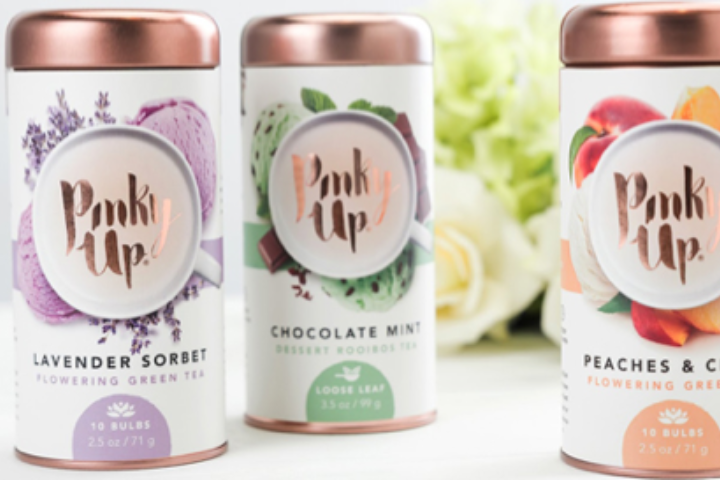
Creative Inspiration for Label Designs- Soabar Ltd
Exceptional Label Designs: Inspiration For Your Brand Introduction to Innovative Labelling In today's competitive retail environment, exceptional label design can...

Maximising Sales Success: Your Complete Guide to Post-Holiday Sale Labelling
The Post-Holiday Sale Labelling- An Opportunity The period following the festive season represents one of the most significant retail opportunities...
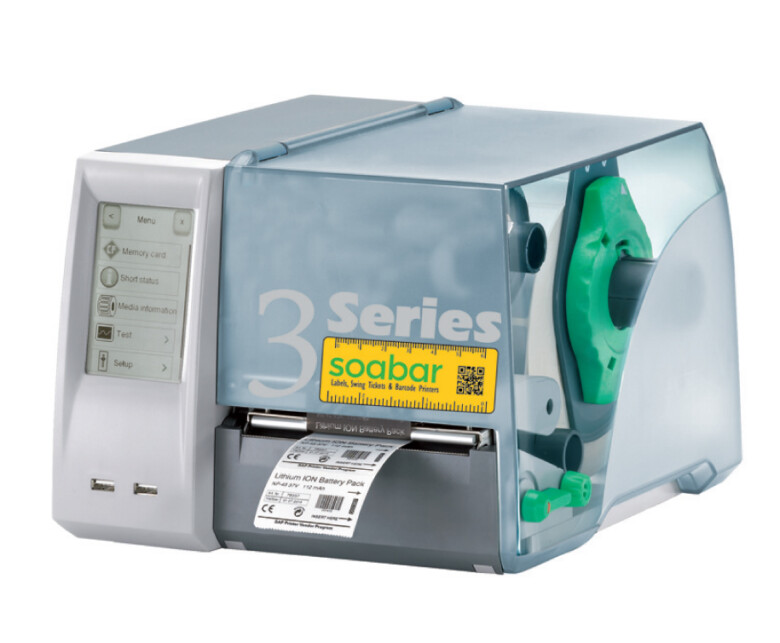
Label Printer Maintenance – Soabar Series 3
The Soabar Series 3: Printer Maintenance Label printer maintenance is essential to keep your Series 3 Label Printer up and...